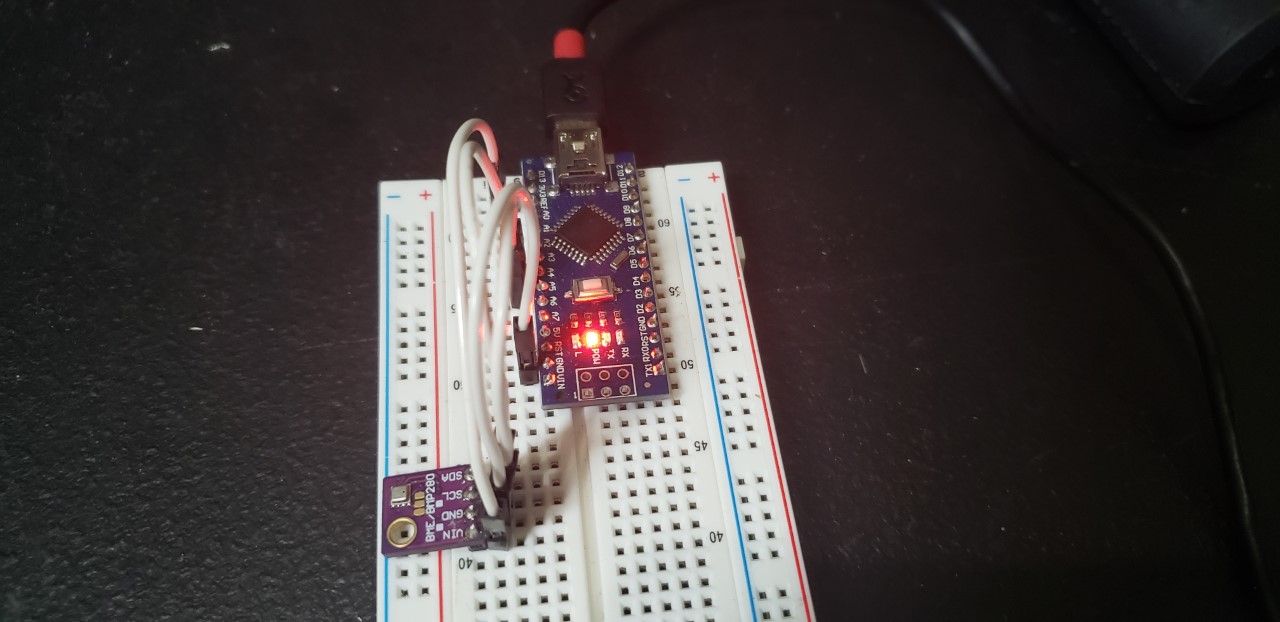
1. The Design
The BME280 is a cheap I2C/ SPI compatible unit capable of displaying temperature, barometric pressure, elevation, & humidity of its environment. I find that its a lot more useful than the DHT22 in that it not only requires just four wires to operate, but also doesn’t require a 10KΩ resistor & is less prone to failing. Its also a lot smaller that the DHT22 as pictured below & is overall sleeker & has a more professional look.
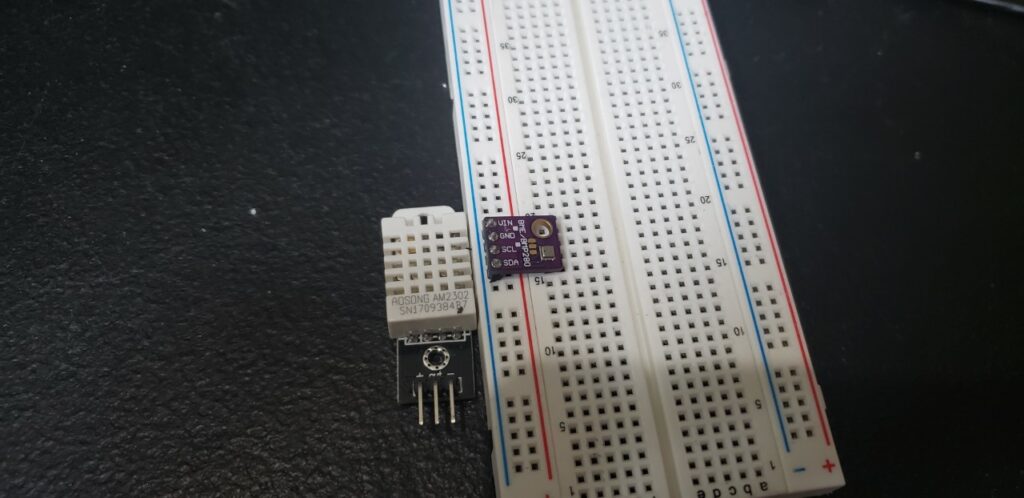
There are two types of the 280, the 5 volt version (BME280) & the 3.3 volt version (BMP280). I’ve determined through testing that the 5v version far superior of the two. The chief difference being that the 5v version can determine the environmental humidity while the 3.3v cannot for whatever reason. Though a small difference, this makes the 5v BME280 deployable for drone projects in which knowing the enclosure’s internal temperature can avoid system overheating or the activation of ventilation fans or automated pet keeping where the temperature & humidity go hand in hand to maintain optimal parameters for your pet’s health & safety.
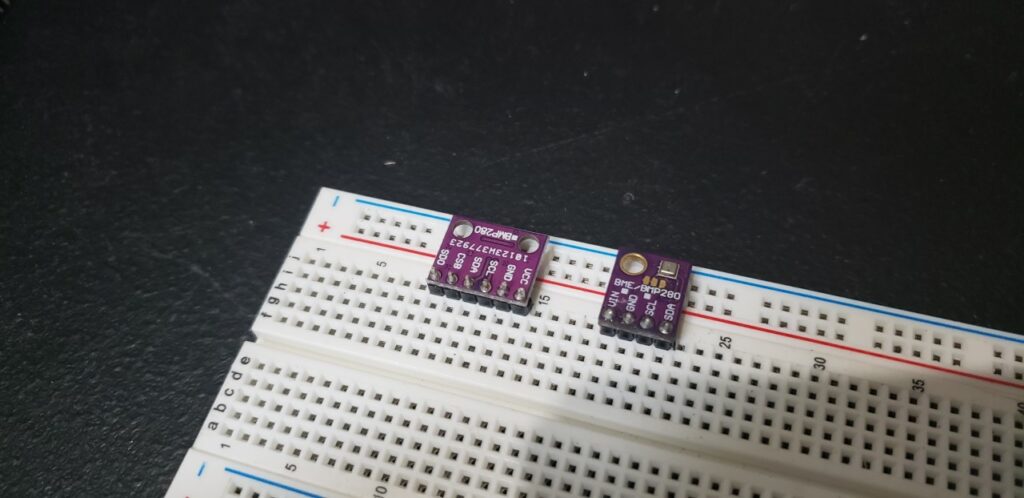
The pin designations are the same no matter the version you choose, as we will only use I2C to communicate sensor data to the arduino. The chart below shows the required connections from the BMP280 on the Arduino:
| BME 280 Pin | Arduino Pin |
|---|---|
| Vin | 5V |
| GND | GND |
| SCL | A5 |
| SDA | A4 |
2. The Code
The required library can be found below:
Private File - Access ForbiddenAdd the .zip file to your library by opening the IDE & navigating to Sketch> Add Library> Add .zip Library> (.zip library file path)> Select
The last task is to open a blank sketch and copy/paste the BME280 code & upload it to the arduino.
3. The Results
Open the serial monitor after uploading the code & you should see the following:
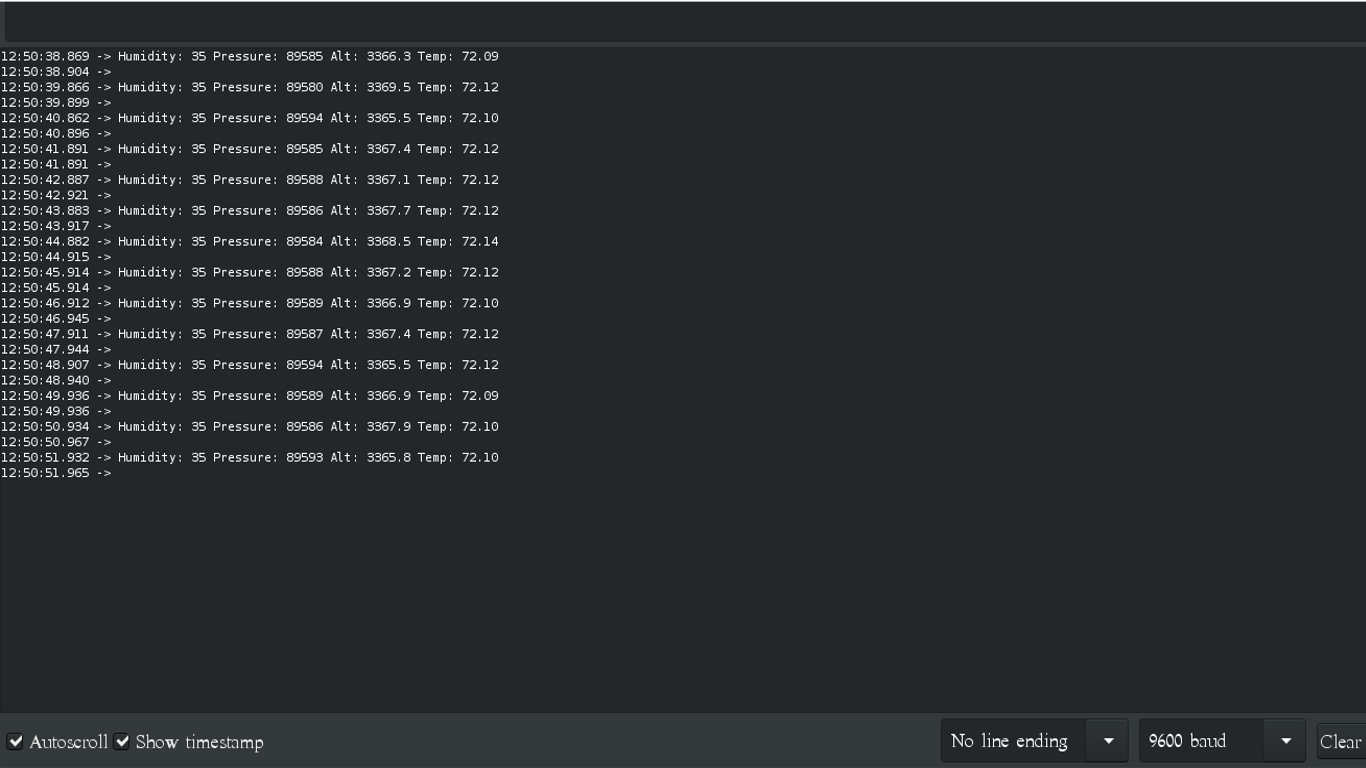
If you cannot see the displayed picture, verify you have the correct BME280 type & have it connected to the appropriate voltage source. Note that even the 5v version will operate if connected to 3.3v without any issues, so use it if you’re having issues identifying what version you’re using (Remember there’s a picture above identifying both units.)