Why Arduino Is The Best Hobby

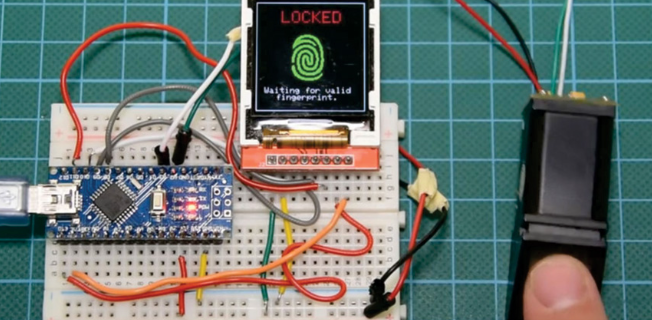
What makes a good hobby is something that has a cheap barrier to entry, easy to understand, expandable in complexity and use, and is a swiss army knife in that it can solve a multitude of problems. That is what arduino is.

Brand new to arduino and don’t know how to light an LED? You can do that with arduino.

Want to make a garden manager project? Arduino

Making a drone? Arduino–Did it myself

Want to save money by making your own home security system with no subscription fees? Arduino. How many times do I have to say it!!!

So sure there’s a lot you CAN do. But HOW do you do it?

Continue reading “Why Arduino Is The Best Hobby”

Firefox for Internet Privacy (Internet Privacy lvl 1)

“If you have nothing to hide, you have nothing to fear” Bullshit. Power corrupts and the more power internet companies, governments, and other gate keepers of knowledge and technology have the more they will abuse it. Whatever you research, post, look at online should be private and not up for Google to package and sell like many internet companies do. Such information not only gives ad companies data on your browsing habits, but also enables a compilation of data about what makes you you. You’re political beliefs, where you live, how many people are in your house, if you’re pregnant, etc.. Of course you shouldn’t do anything illegal, but do I really need to tell you that? This tutorial will show you a beginner friendly way to obfuscate your internet activity and stop trackers from tracking you. Per the usual of my posts I’m getting down to brass tacks, so let’s get started.

Continue reading “Firefox for Internet Privacy (Internet Privacy lvl 1)”

Plane Tracking w/ ADS-B and RTL SDR

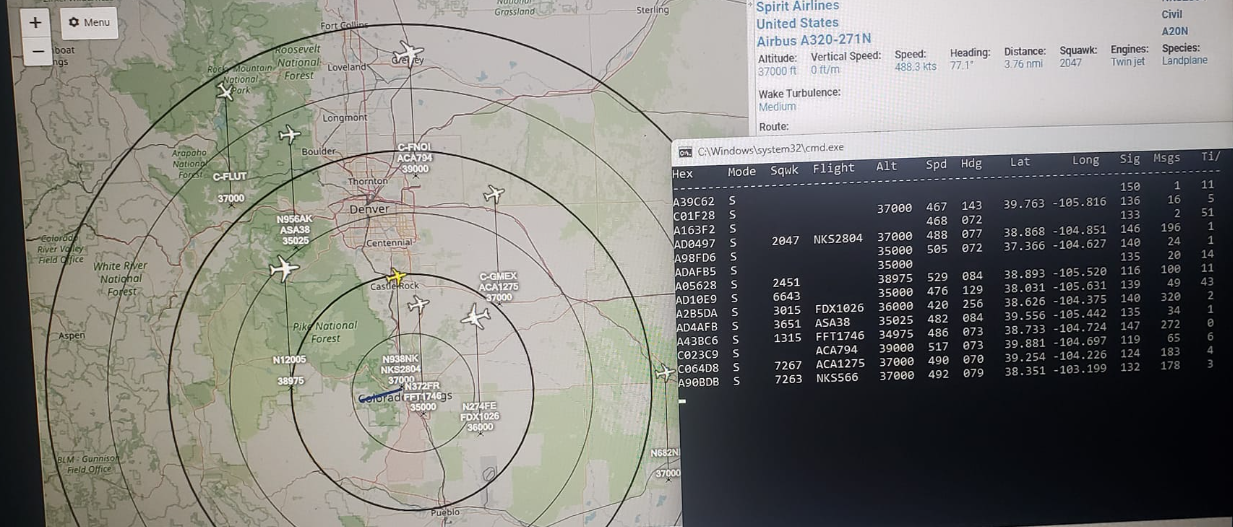
Whether you’re developing another leg of your OSINT package or new to the world of software defined radio, plane tracking is a cool demonstration of basic signals intelligence without breaking the bank.

Hard/Software

Needed hardware are an ADS B antenna, a band pass filter+ LNA, an RTL SDR, SMA male to SMA male adapter.

Needed software are Windows 11 computer, dump1090, Virtual Radar Server (VRS), Notepad++ & SDR++.

The ADS-B Antenna will receive the GPS coordinates and plane identification data, the bandpass filter will reject all out of band signals and amplify the in band signal, then the RTL SDR/ Windows 11 computer connection ports the data to dump1090– which formats the data into human readable text and the Virtual Radar Server overlays the data with silhouettes, plane data, and map overlay.

When connecting the SMA side of the ADS-B antenna to the band pass filter, pay attention so that you’re connecting it to the 1090MHz port and NOT the 978MHz portion as seen below. Also ensure that you connect the antenna to the INPUT side of the filter amplifier, not the output.

Continue reading “Plane Tracking w/ ADS-B and RTL SDR”

Antennas, Filters, Amplifiers

Within the RF realm, filters are used to reject undesired signals when monitoring the spectrum environment. Maybe you’re in an urban area and your neighborhood is right next to an FM tower, or you happen to live next to an Army Signal Corps antenna nerd who does home experiments where he stomps over other signals with his home made radio that runs off a generator, significantly raising the local noise floor. Weird coincidence, right? But you need to do something about it, ergo– use a filter!

But What Kind?

Depends on your use case as there are several types of filters. You have High Pass, Low Pass, Band Pass, and Notch Filters. Low pass filters allow low frequency signals to pass- hence the name- and rejects/ eliminates/ attenuates (all words are the same in execution) higher frequency signals. High pass filters work inversely, allowing high frequencies to pass and rejecting low frequencies. Band pass and notch filters have an inverse relationship as well in that band pass filters allows a specific frequency range and rejects all signals out of the frequency range while a notch filter does the opposite and only eliminates a specific range, allowing all else to pass. The filter you use depends on what you’re trying to do. Going back to the Army guy example, if he’s stomping all over a specific and small signal band it may be better have a notch filter; whereas if there was a larger interference source OR you were analyzing a specific band for regional plane tracking for example, a band pass filter may be better. The TLDR is if its a specific signal you’re looking for or looking to exclude use a notch or band pass filter, if its a wider range of frequencies consider a low or high pass filter.

Continue reading “Antennas, Filters, Amplifiers”

Using Software Defined Radios (SDRs)

Listening to communications, downloading weather data from satellites, capturing data from airplanes, SDRs are powerful SIGINT (SIG)nals INT(elligence) devices that are surprisingly cheap and useful. For a great introduction and facts on budget SDRs look at this article. We’re going straight into it.

Basic Tools/ Materials

SDR- For this article I’m using the RTL SDR, which can be found on Amazon, AliExpress, or Ebay. Get the V3 version as the newest V4 doesn’t have 100% compatibility at this time.

Antenna- Any antenna within the signal range of 500 kHz – 1766 MHz will work fine. To see how it works its great if you have a toy, radio antenna, anything that works within the SDR & experimental object you’re using’s frequency range. Ensure the antenna connection type is SMA male. The RTL SDR has an SMA female connector type. For more information concerning antennas, refer to my article 

Continue reading “Using Software Defined Radios (SDRs)”